
Everybody Staze...

Nobody leavz...

  • Home
  • About Me
    • LinkedIn
    • Lab
  • Contact
  • Links
  • Reviews
  • Sitemap
  • Weather

Zebra CS6080 Battery Recovery

2026/06/17 By staze Leave a Comment

I recently purchased a Zebra CS6080 barcode scanner off eBay for $50. Got it, and sadly it wouldn’t charge on the Qi pad I had. Fast flashing amber light. Looking at the manual, this means the battery had some issue. Checking the voltage with a multimeter, I got 0V. Guessing this thing just sat unused for a long period of time and the battery went flat (or rather, the Battery Management circuitry shut it off once it hit a theashold voltage).

Batteries for these things are silly expensive (which makes sense since the scanner itself is silly expensive). So, having nothing to lose, and the battery having markings for 4.4V charge voltage, I figured what the hell, and hooked it up to my bench PSU with 4.4V charging voltage, and 100mA charging current. The outer pins are marked + and -. I figured this might be possible because the manual indicated that if the battery won’t charge in the unit, you can throw it in the charging cradle (which has a dedicated battery charge slot).

Initially, got 0.00mA current, but I rigged up the connection to stay (with my magnifying lamp holding the probes in place), and walked away. About 30 mins later I circled back and it was taking a charge!

I left it that way for about 3 hours and it got up to about 3.9V. I stopped the charging and plugged it back into the scanner, and dropped the scanner on the Qi pad. Boom, it started charging! About 2-3 hours later, the light on the unit turned green (meaning fully charged)!

So, long story short, if you have one of these, might be worth trying to hook it up a PSU and give it a go. Just remember 4.4V and a relatively low current (in my case, I stuck to less than 0.1C, but you can probably go as high as 0.3C, I just didn’t want to overheat anything should it suddenly start conducting.
Filed Under: Electronics Tagged With: repair

PrintNightmare is just the worst…

2026/04/24 By staze Leave a Comment

Just thought I’d throw this up there. Turns out, MS made some interesting choices closing the PrintNightmare (CVE-2021-34527, CVE-2021-1675) hole. We found one of those interesting choices earlier this week when a print server was just slammed at 100% CPU all day. For those that don’t know, I work in higher ed. And much to our dismay, we have a lot of print servers (currently over 20, when it should be like, 3?). Since PrintNightmare, you have to have a list of allowed print servers that computers are allowed to use. Great. So, we have a GPO that does this. What happens is computer is told to map a printer, and if the print server is on the list, it’s mapped, and if it isn’t, it isn’t. Simple, yea? Well here’s the rub: it checks the list AFTER it connects to the print server. Some may see where this is going…

Long ago, we realized GPOs to map printers are inconsistent. Especially on lab machines with lots of turnover. So, we moved to using a login script to do the work. So user logs in, script runs to map printer, if it can’t map the printer, it tries again (just to account for network issues, server outage, etc). This week, that resulted in a DDoS of the print server because someone changed the GPO to not include the print server in the GPO allowed list… and because MS made an odd choice.

Best I can tell, here’s what happens

  1. Computer gets told to map printer on print server
  2. Computer connects to print server to check for printer
  3. Computer checks approved list of print servers and either maps printer, or rejects

So, if you ask me, steps 2 and 3 are wrong. They should be reversed and the computer should check the approved list before it auths to the print server. In our case, with 800+ computers all hitting the print server over and over again, lsass VERY quickly was overwhelmed with auth requests and the print server would start alerting about CPU/memory.

Maybe I’m daft and MS had a reason for doing it this way, but damn does it just seem backward to me.

Filed Under: Sys Admin, Work Tagged With: Windows

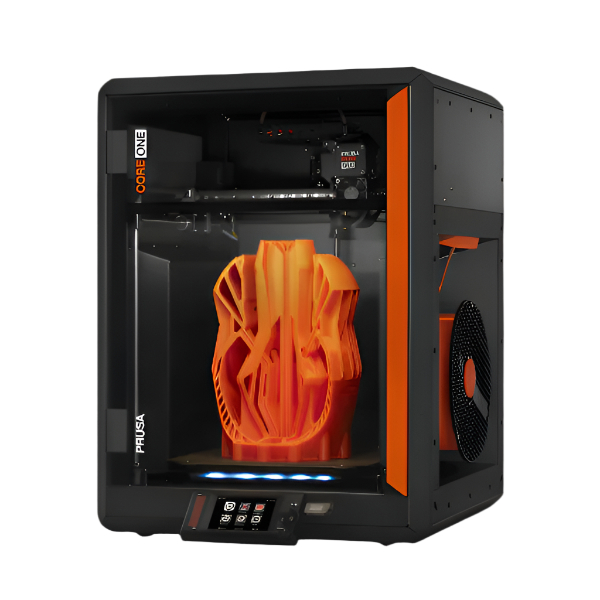
Prusa CORE One (Kit) Build and Review

2025/08/03 By staze Leave a Comment

I’ve owned a few 3d printers over the years. I started with a little Fabrikator Mini, then moved to a Cetus3D, then a Cetus2. The move from the Mini to the Cetus3D was fine, but had issues. I didn’t learn from that and ended up kickstarting the Cetus2, which was not great. Finally I was like “I’ve had it with these unsupported printers and companies, let’s buy a real printer”. I first was looking at a Bambu Lab A1 Mini, then the A1. They definitely looked appealing, but I’d seen some stories that made me wonder if they were going to do a Tiertime (let people buy the printer, then not offer support in the long run). Talking to a coworker, they said I should look at the X1 Carbon, which I said “I can’t afford” but then realized maybe I could. At that point, I thought “if I can afford an X1, maybe I can afford a Prusa…”. I knew the CORE One had been recently released, and I knew from years of following Prusa had offered years of “Upgrade your current printer to the new version” kits. Something I knew Bambu or others wouldn’t ever offer. So, realizing all that, and seeing the kit for the CORE One was available, I went ahead and ordered a Prusa CORE One kit back in February (2025). I thought mistakenly I’d have the printer quickly, but no, the kit didn’t show up until late May (which is good, honestly, as I was saved from the worst of the tariffs from the EU (which ended up being close to $140 invoice from Fedex a few weeks later that was the tariff as well as Fedex charges).

[Read more…]

Filed Under: Electronics, Reviews Tagged With: 3D Printer, Prusa

Next Page »

Weather

Categories / Archives

  • Apple
  • Coding
  • Electronics
  • Energy
  • Home Ownership
  • Miscellany
  • Politics
  • Prius
  • Sys Admin
  • Travel
  • Uncategorized
  • Work
  • June 2026
  • April 2026
  • August 2025
  • April 2025
  • January 2024
  • February 2021
  • July 2020
  • January 2020
  • April 2019
  • March 2018
  • February 2018
  • June 2017

Copyright © 2026 · Staze On Genesis Framework · WordPress · Log in